meta data for this page
<!-- googleoff: index -->
⚠️ v4.0 UI Transition Notice - In Process: The release of Total Launcher v4.0 has introduced significant user interface changes. Please note that this page does not yet reflect these updates. The new layout paths, folds, and visual maps are currently being compiled and will be deployed shortly.
<!-- googleon: index -->
Shape - Arc Options
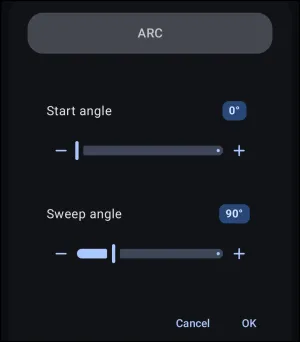
Dialog selections are discussed below the image. For navigation to an item make a selection in the Shape - Arc Options image.
Shape - Arc Options dialog. Make selection above.
This dialog screen shows options for:
- Start angle - Set the starting angular point of the arc along the circular boundary. Total Launcher follows standard screen graphics coordinates, where
0°points to the right (positive x-axis) and angles increase clockwise. To translate from traditional Cartesian mathematics where angles sweep counter-clockwise with90°pointing up, consult thearc_calc.htmltool above to calculate the correspondingStart Angle.- 0° (Start angle value badge) - Open a numeric input keypad to enter a precise start angle value directly instead of using the slider. Use the “calculator” on this page to convert the 'clock example / Cartesian mathematics' to Total Launcher's input format.
- Start angle slider / adjustment buttons (- / +) - Drag the slider handle or tap the minus (
-) and plus (+) buttons to incrementally adjust the start angle in degrees.
- Sweep angle - Set the rotational span of the arc starting from the specified start angle. Total Launcher applies this sweep clockwise around the center. The
arc_calc.htmldialog helper provides the exact clockwiseSweep Anglevalue required to match standard mathematical representations.- 90° (Sweep angle value badge) - Open a numeric input keypad to enter a precise sweep angle value directly instead of using the slider.
- Sweep angle slider / adjustment buttons (- / +) - Drag the slider handle or tap the minus (
-) and plus (+) buttons to incrementally adjust the total angular sweep of the arc.
- Cancel (Inner Dialog) - Discard any adjustments made to the start and sweep angles and dismiss the arc settings overlay.
- OK - Apply the configured start angle and sweep angle values to the arc shape definition.
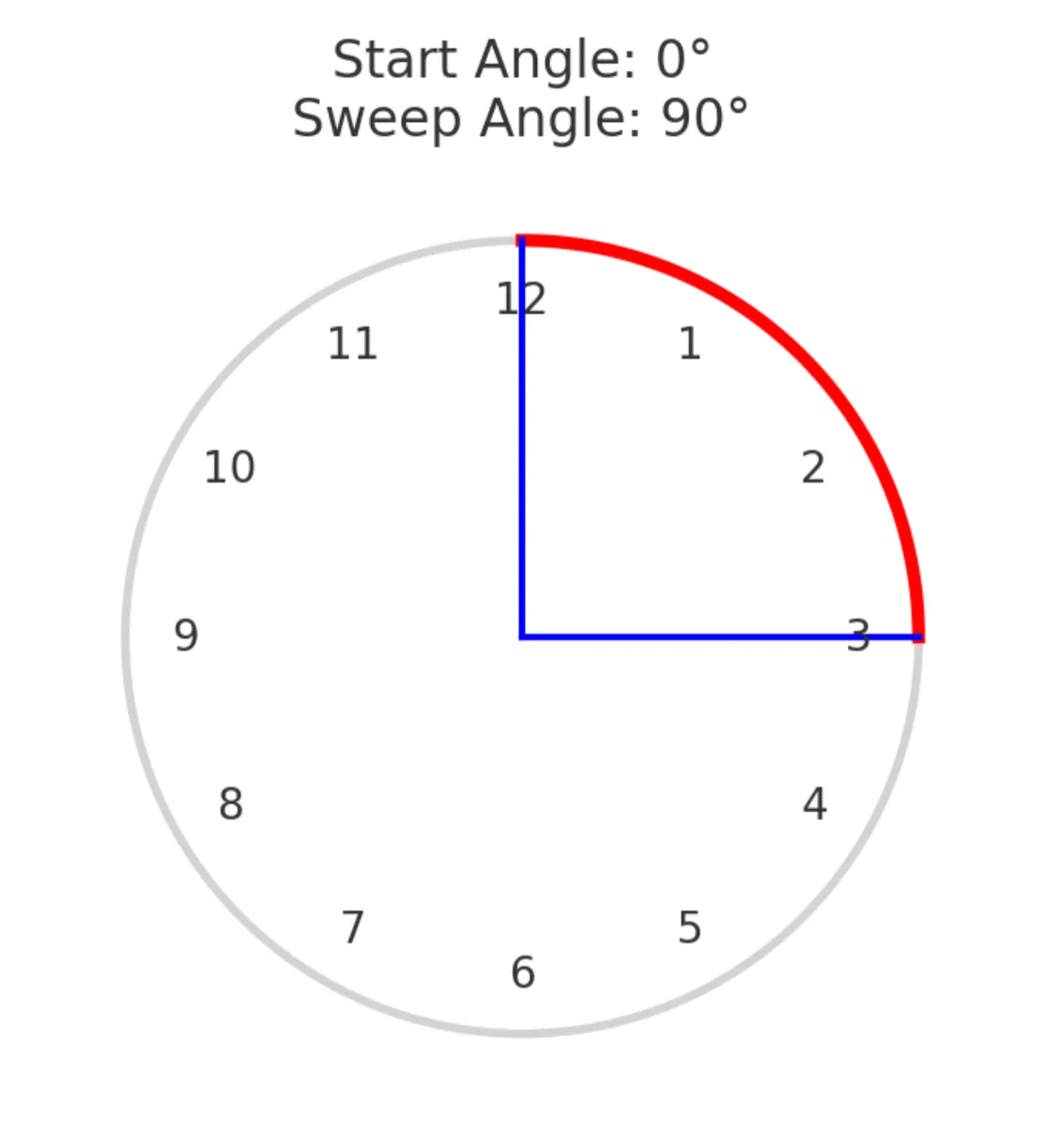
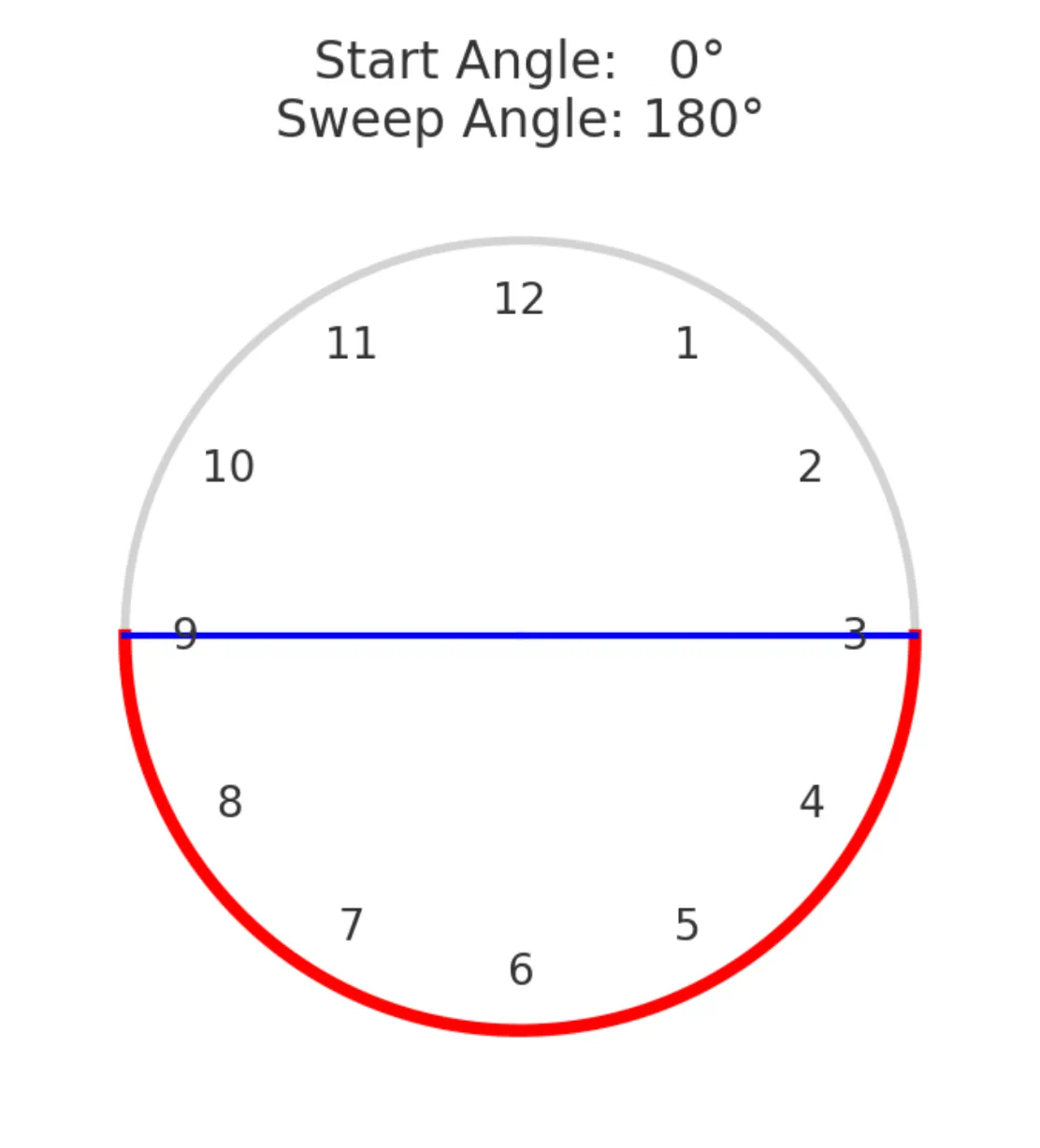
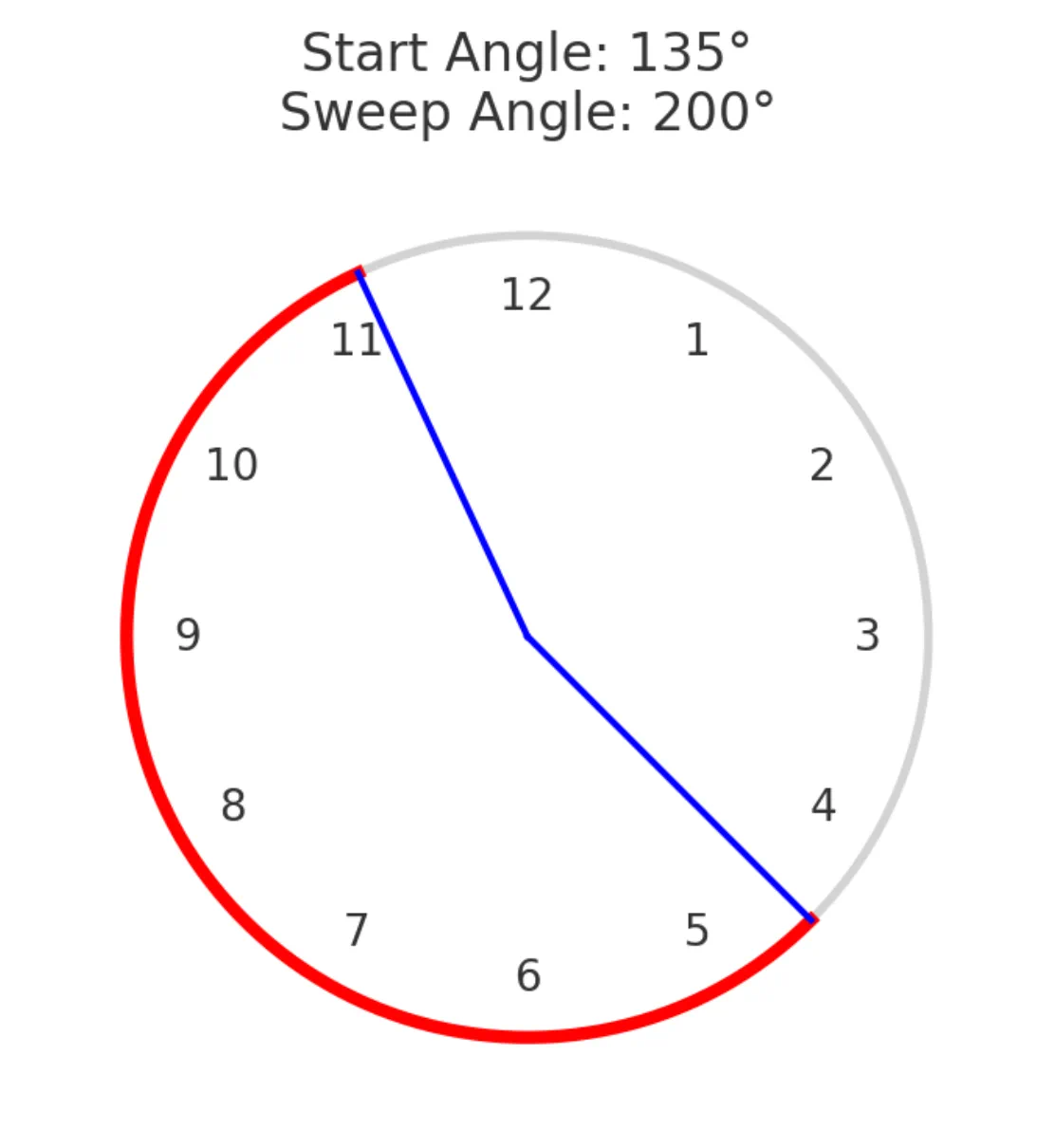
Below is another clock-illustrated example of 4 starting angles with varying sweep angles:
| TL's Input Start Angle: 270° Sweep Angle: +90° for this image | ||
|---|---|---|
 |  | |
| TL's Input | ||
 | 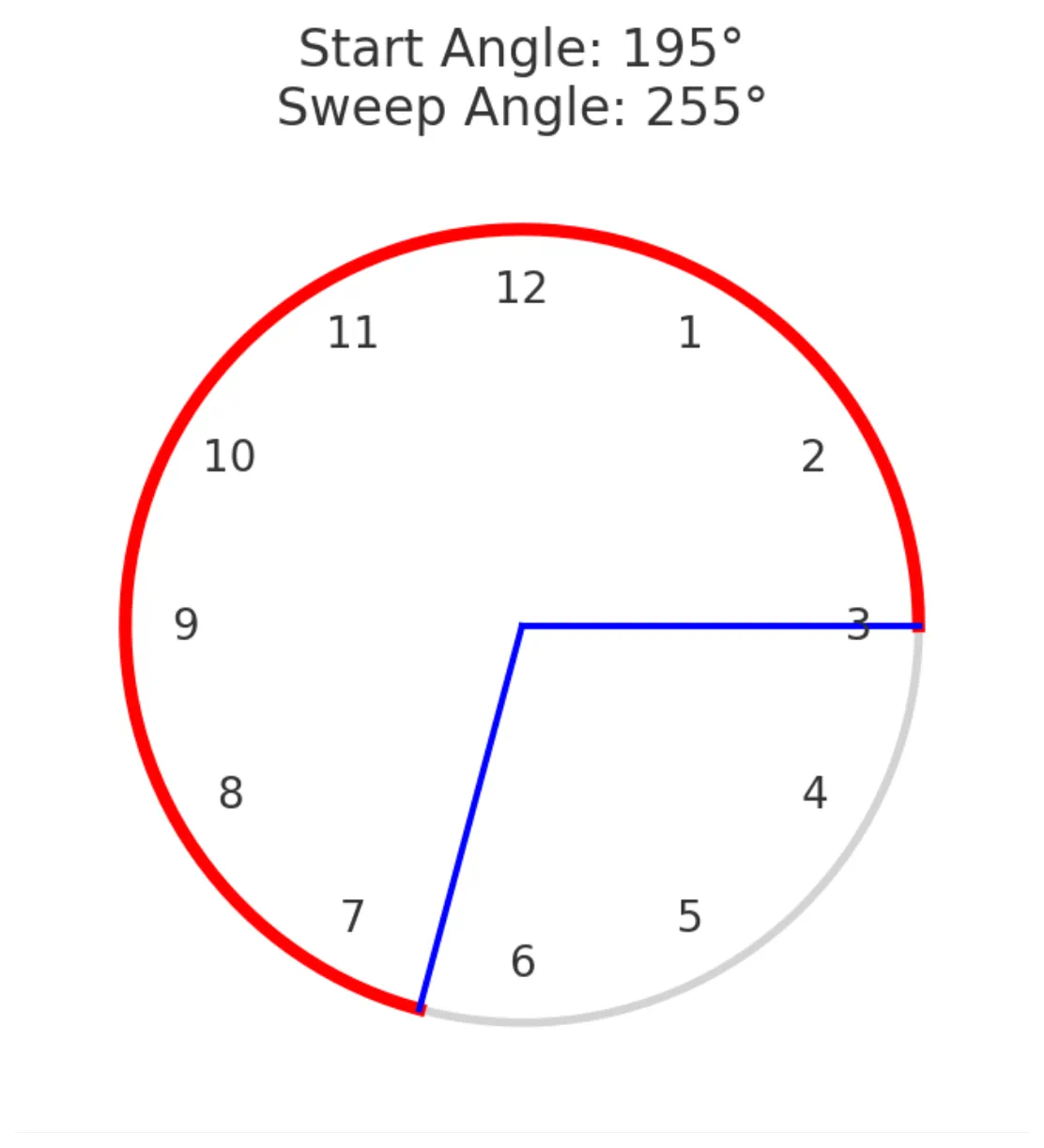 |
===== Hidden Index Anchors ===== ui-launcher_options-resources-shape ui-launcher_options-resources-shape
Comments & Feedback
Toby Lancer is ready to help! Look for the Quick Help form:
► Desktop: left sidebar located near the bottom for Private to Admin
► Mobile: 3-bar menu at page top.
► Use the Discussion section below to share any experiences and communications with other Total Launcher users.
► Any Registered User can directly update this and any wiki page if desired.
Moderation: To keep the manual clean, all comments are held for appropriateness review. Preview any comment before submitting it. It will not be displayed after submission until it is reviewed. So, please, do not resubmit.
Formatting: If using any code snippets, place them inside code tags (e.g., 'code') using double single quotes (') before and after to keep them readable.
Be Kind: This is a community effort. Please keep feedback constructive and on topic.
~~DISCUSSION~~