meta data for this page
Total Launcher v4.0 Update Review
An important update has arrived for Total Launcher, marking the platform's transition to version 4. This update provides an overhauled interface, along with brand-new menu and layout structures, shapes, and graphical properties.
For official developer insights, refer to the Official Total Launcher v4 Blog Post. A detailed breakdown of these new features and options is outlined.
Overhauled User Interface and Search Navigation
- Internal UI Redesign: Provides a cleaner look across launcher options and layout setup screens, matching modern Android design aesthetics.
| Version 3 UI | Version 4 UI |
|---|---|
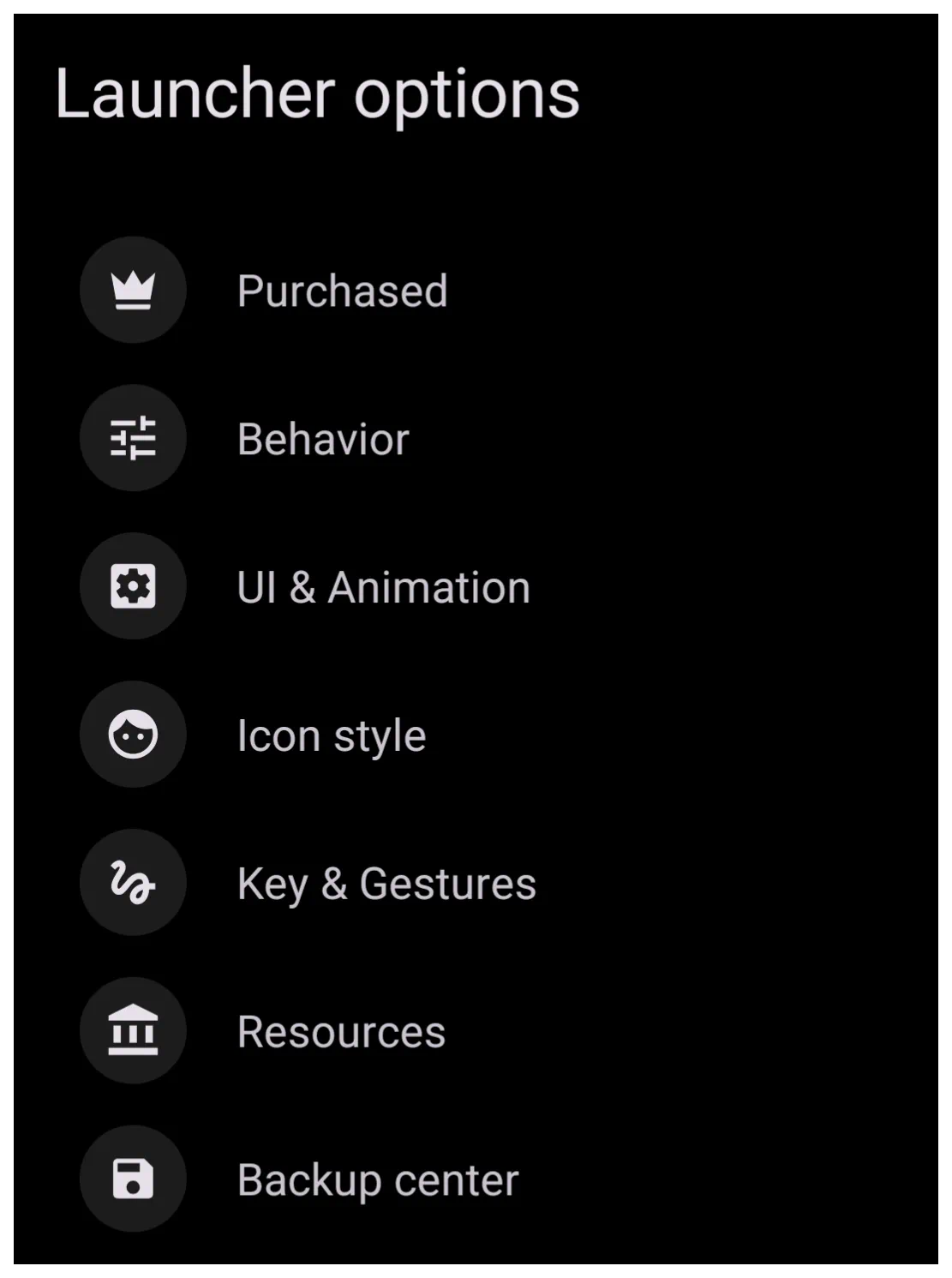 | 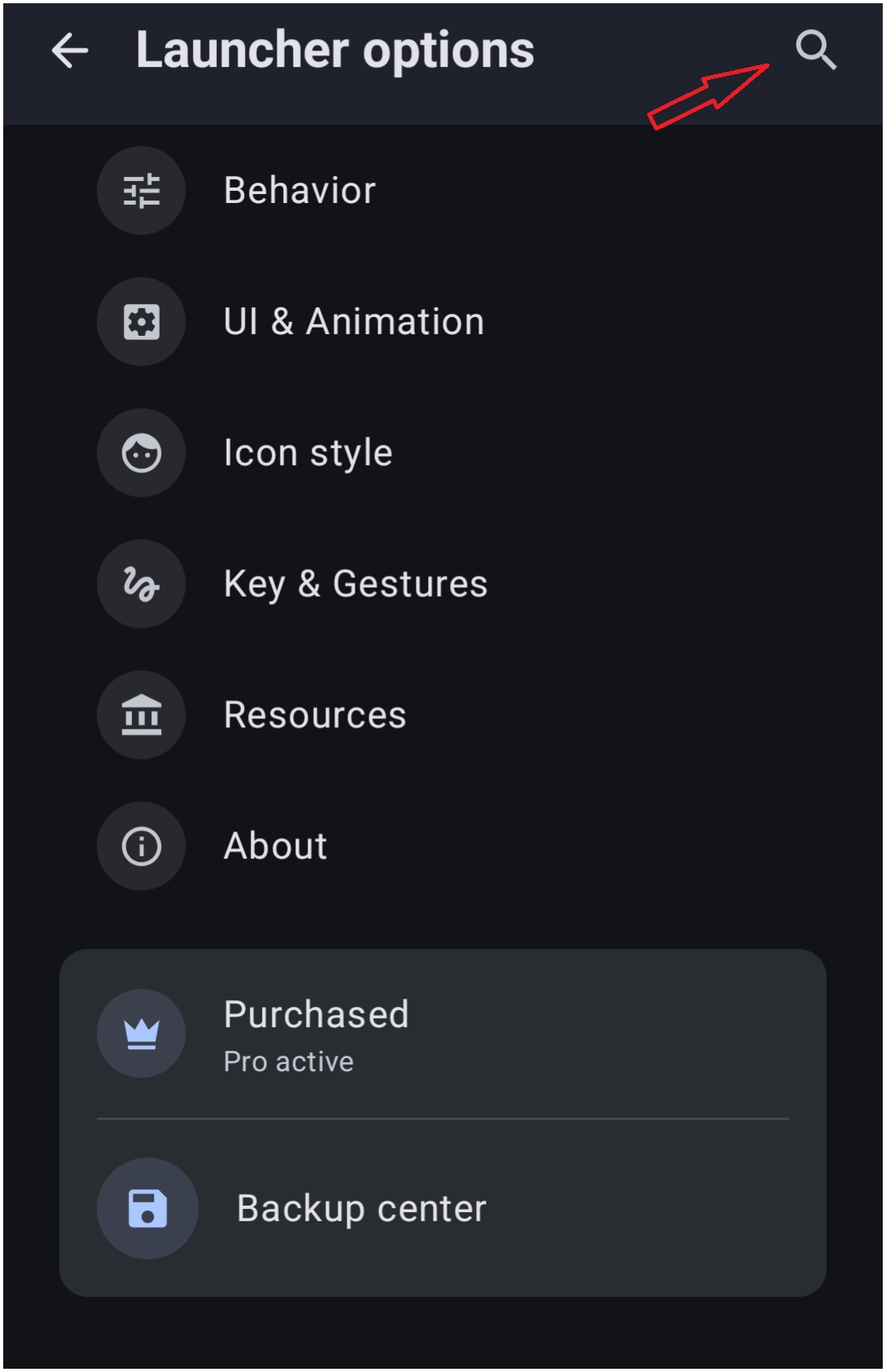 |
- Launcher Options Search Bar: Implements a direct text filter bar at the top of the primary Launcher options menu to assist with Launcher settings (see above).
- Avoids manual digging through multi-nested menus.
- Inputting an entry jumps directly to the intended configuration setting.
Creative Layout Configurations and Geometric Shapes
• New layout and advanced shape customizations
| Fidget Spinner Circle Layout: | Image |
|---|---|
• Introduces a dynamic Fidget spinner mechanic to the standard Circle layout. This can be assigned to rotate the layout objects for active interactions. |  |
| Squircle Shape | Image |
|---|---|
| • Adds a native Squircle option into object shape selectors, bridging the gap between oval, rectangle, and rounded rectangle selections. • A true Squircle will have rounded sides (to a degree). The curvature option ranges from 2 to 10, tending toward a rounded rectangle. | 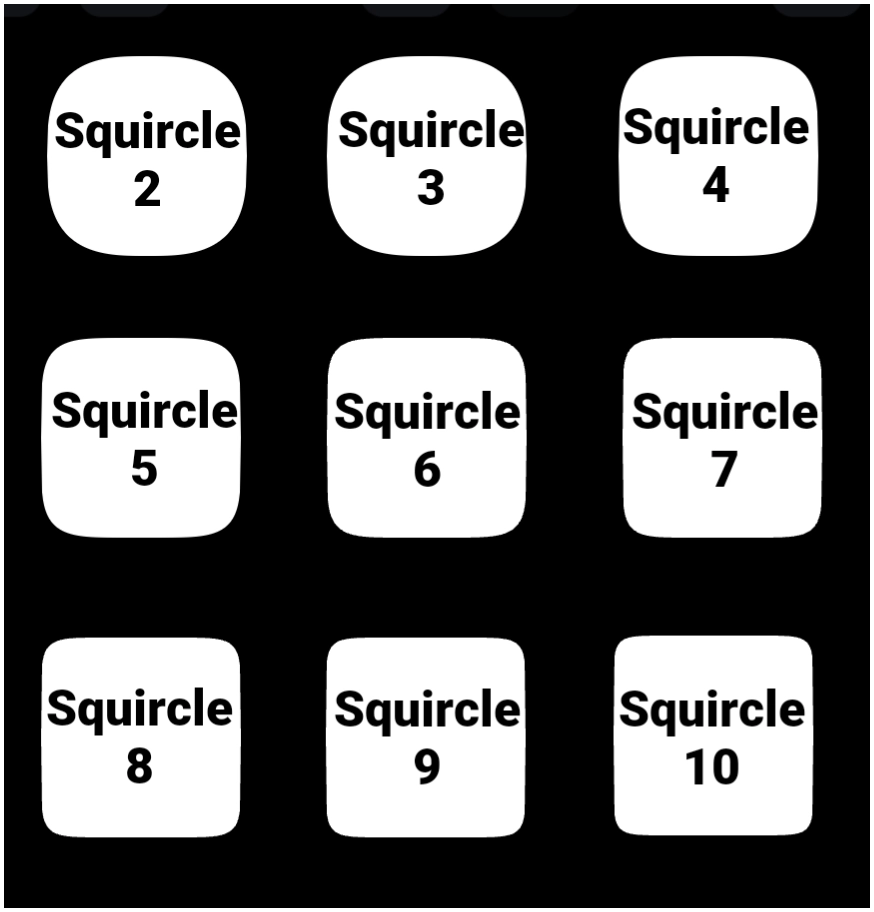 |
| Polygon Shape | Image |
|---|---|
| • Introduces custom multi-sided Polygon geometry for tailored masking or background plates. • As polygon sides increase, the shape trends to an oval. | 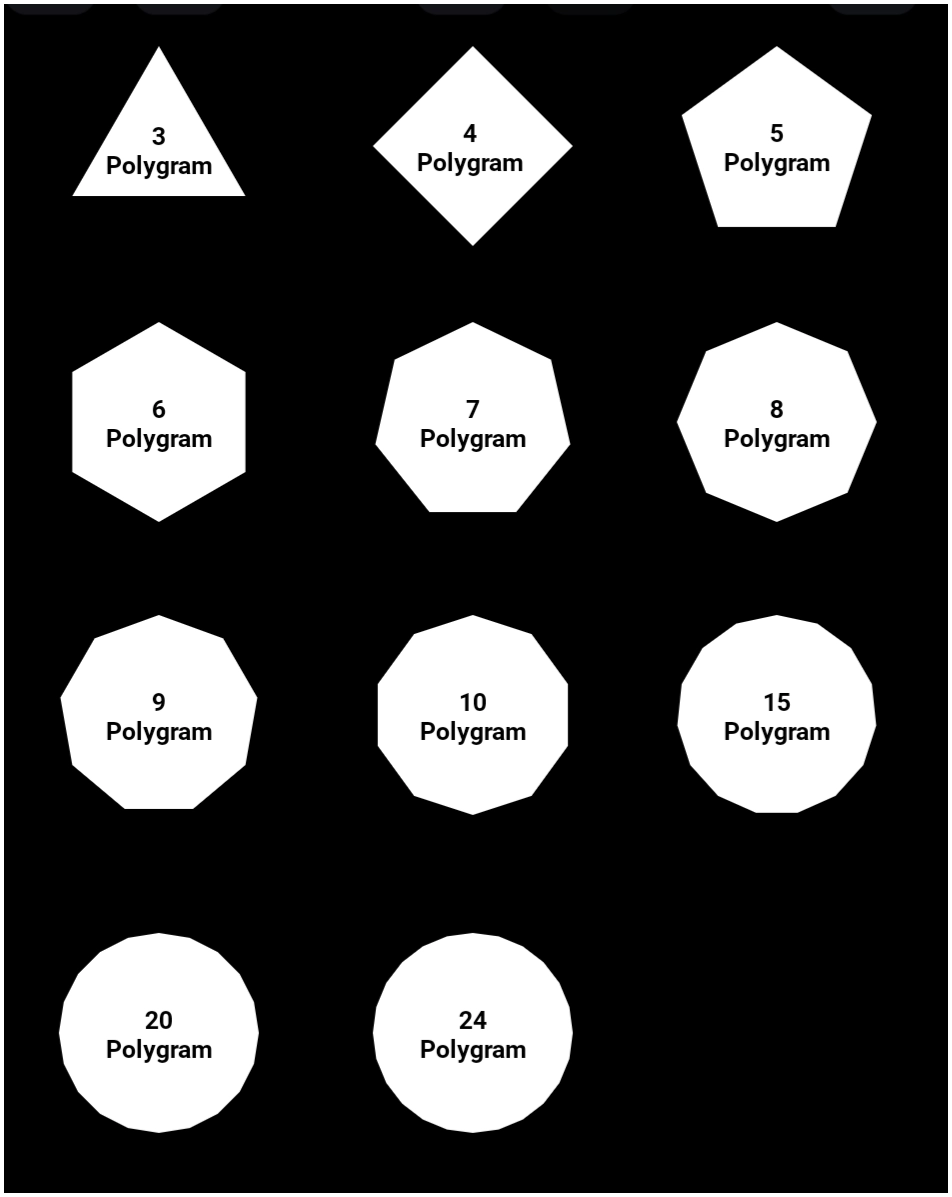 |
| Round Rectange Distinct Corner Control | Image |
|---|---|
| • Upgrades the Round Rectangle object mechanics with individual control parameters provided for each of the four distinct corners, allowing asymmetric designs by assigning independent corner radius pixel values. • The 'curvature' ranges from 0 to 285. • In this example, the corners (starting in upper left) are: (1) 16, 28, 36, 44 (2) 28, 56, 112, 224 (3) 0, 285, 0, 285 | 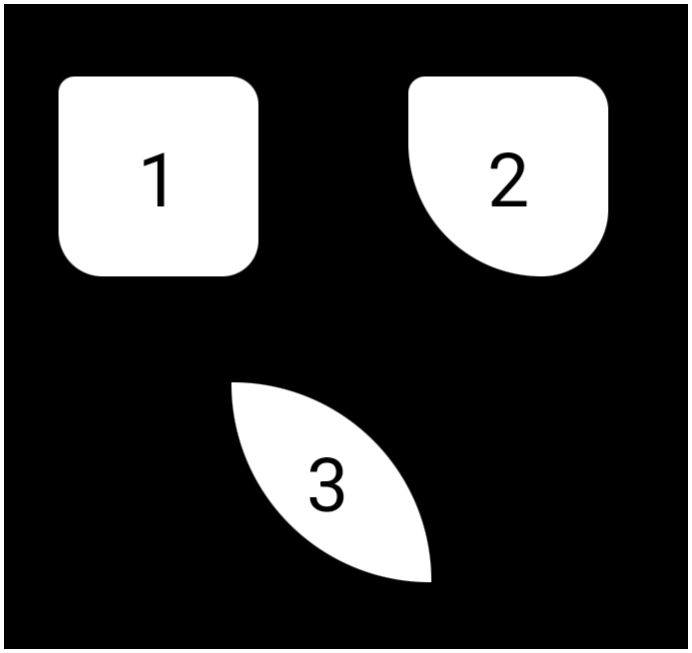 |
Enhanced Graphic Objects and System-Level Customization
• Advanced options regarding graphic text masking and object backgrounds
| Bitmap Shader for Text: | Image |
|---|---|
| • Text graphic components now support a “Bitmap shader” property instead of a solid color. • Select the text color, then pick color, dynamic color, shape, or image as the external texture map for text characters. | 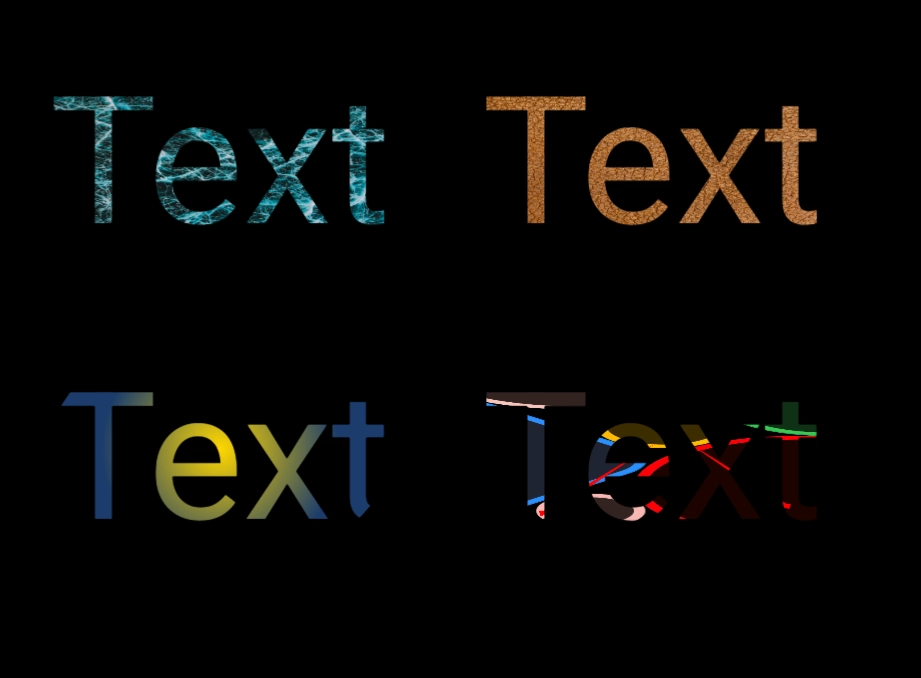 |
| System Bar Background Fills: | Image |
|---|---|
| • Status bars and navigation bars can now be styled with specialized images and custom shape structures. • This eliminates reliance on basic native system tinting and fully integrates the device status and navigation zones into the overall theme background. • The setting is found in Launcher options > UI & Animations. To visualize this, do not activate the Hide feature for the status bar or the navigation bar.• The image to the right is a very basic example of the top status bar and the bottom navigation bar using a gradient shape. | 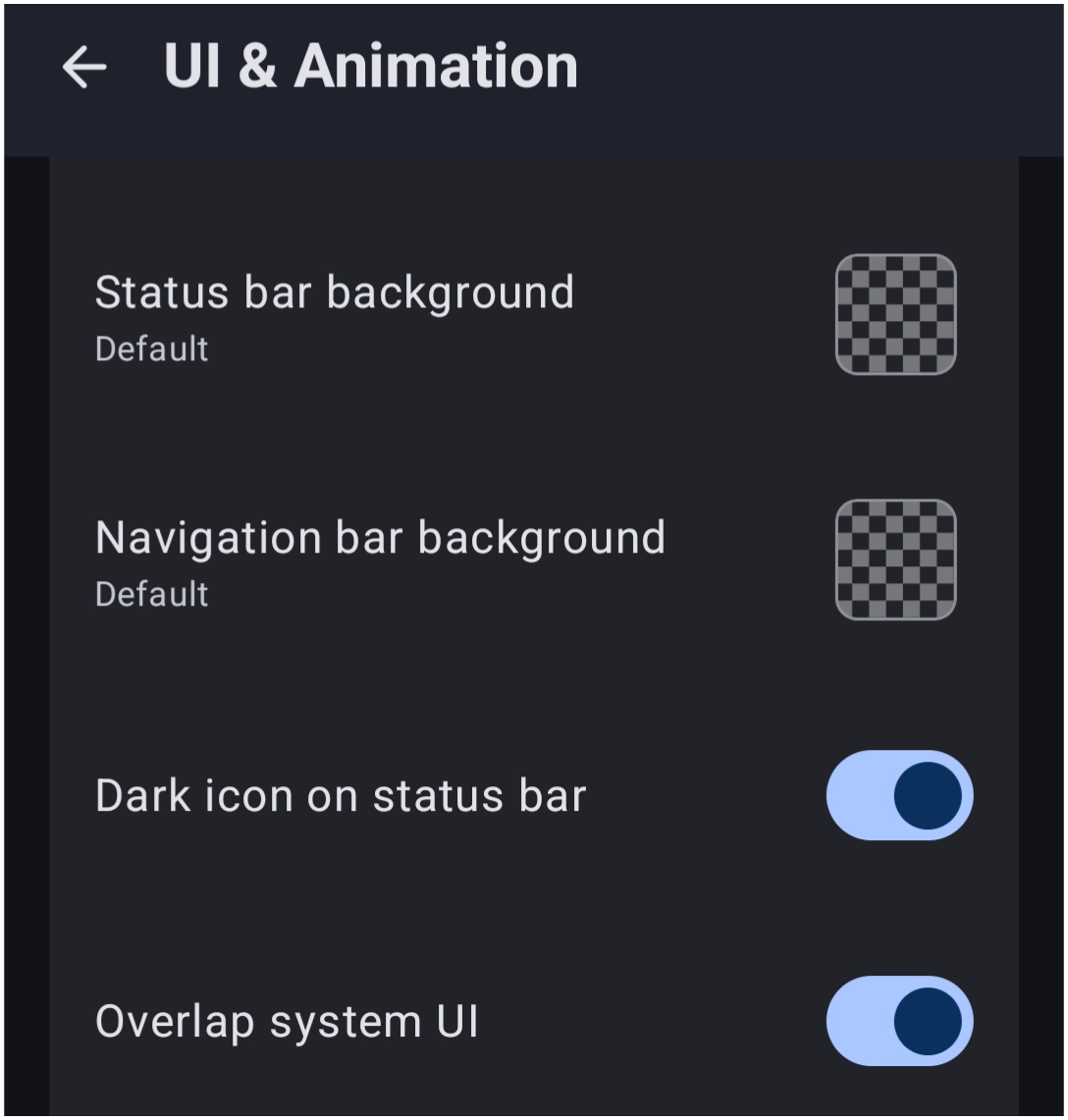 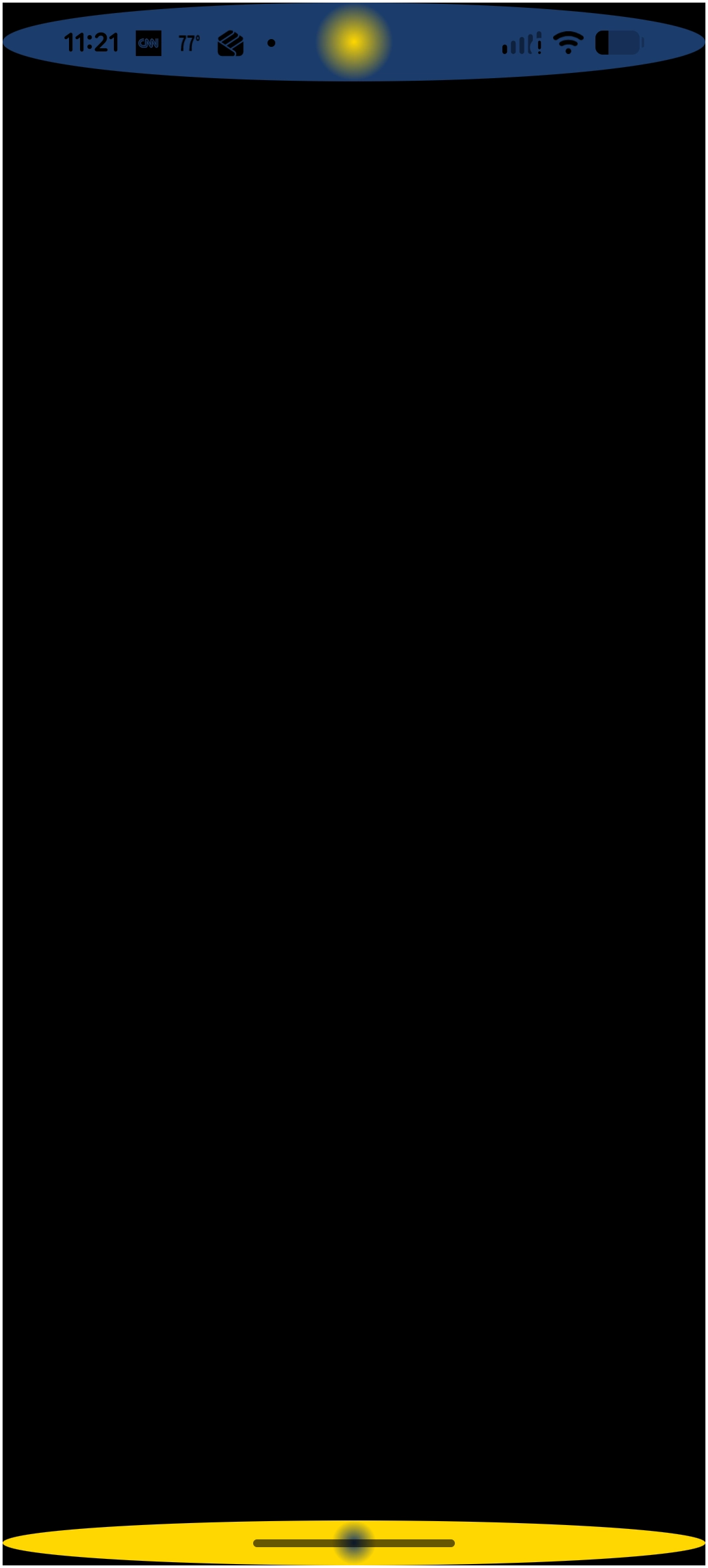 |
Removed
• Reset
The Launcher no longer offers the Reset dialog to restore the launcher layout and settings to their initial default state. There has been no statement by ChYK, but user comments in social media posts express hopes it was a programming omission and will return.
You could leave a comment if you were logged in.